Exporting iMovie HD
to PC

|
Exporting iMovie HDto PC
|
|
Standard Quicktime will run on the PC, but to get the best quality with the lowest file size try this
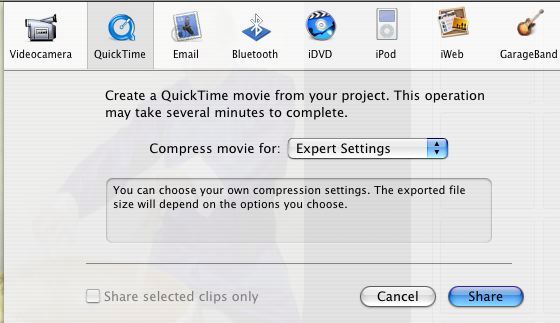
-Select the Share menu, and Quick Time
-Choose the option Compress movie for: Expert Settings
-From the Save exported file as .. dialog box
-set your Save As: filename and Where:
-Pick Export: Movie to Quicktime Movie
-Click the Options button
-From the Movie Settings dialog box
-click the Settings button
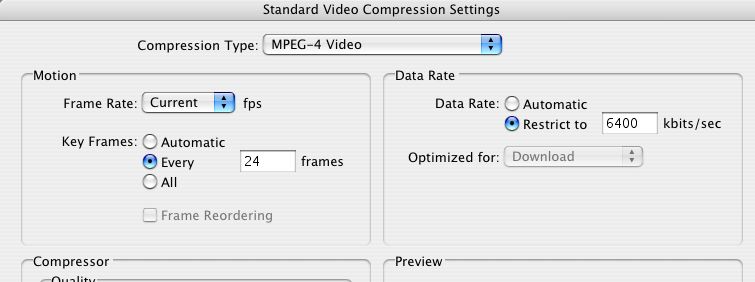
-From the Standard Video Compression Settings dialog box
-Change the Compression type: MPEG-4 Video
Click the OK buttons.